
DMR on your Android phone, tablet or radio.
Talk on DMR talkgroups over the internet, free, with no hotspot. On a supported radio, DMR also goes out over the air through the radio's own RF module.
What DMR is
DMR (Digital Mobile Radio) is a digital voice standard used in amateur radio. Calls go to talkgroups: shared channels that anyone on the network can join. DMR networks link repeaters and hotspots over the internet, so a call on a talkgroup reaches everyone on it.
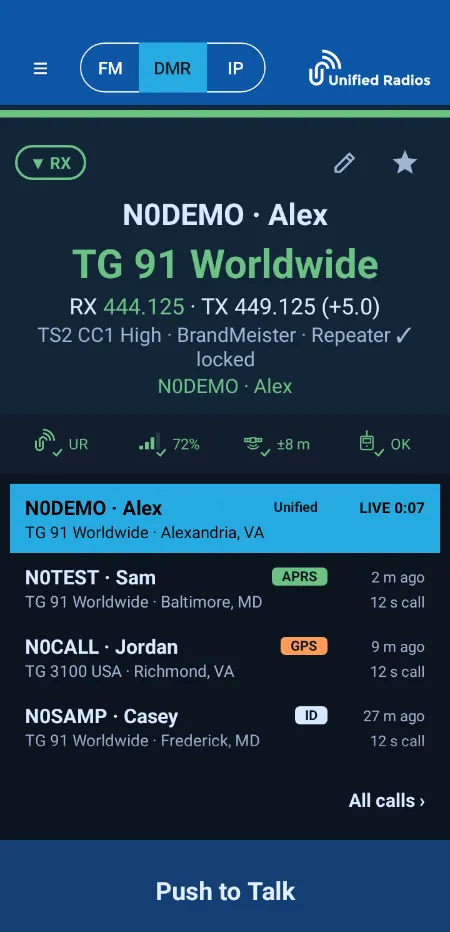
In Unified Radios, DMR works two ways: over the internet, straight from the app, and over the air through the RF module of a supported radio. Both use the same radio face, so there is nothing to relearn when you switch.
DMR networks in the app.
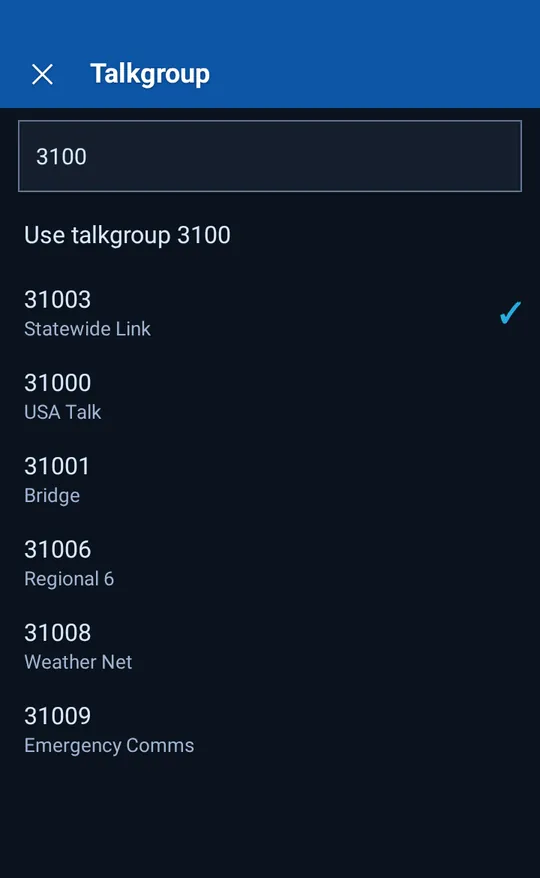
Pick a network, a server and a talkgroup, and talk. Every list is refreshed daily.
BrandMeister
Servers in many countries; log in with your BrandMeister hotspot password.
TGIF
One server address; pick a talkgroup and log in with your TGIF security key.
ADN
ADN's own server and talkgroup lists; log in with your ADN hotspot password.
AmComm
US servers and AmComm's own talkgroup list, with up to four monitors.
HamUnited
US servers and HamUnited's own lists; pick a talkgroup and switch with a tap.
XLX
XLX reflectors over DMR: pick a reflector, then a module letter.
DVSPh
One server, in the UK, with DVSPh's own talkgroup list and a TS1 or TS2 choice.
DMR+
Servers across Europe, the Americas, Asia and Oceania, with a TS1 or TS2 choice.
FreeDMR
Servers in many countries and FreeDMR's own talkgroup list, ready when you pair.
HBLink
Independently run servers; you type the talkgroup number.
Talkgroups without the lookups.
- Group calls on a talkgroup, and private calls.
- On most networks, up to four monitor talkgroups beside the one you talk on, and a tap on a call to switch to its talkgroup and reply.
- On DMR+ and DVSPh, a TS1 or TS2 choice, remembered for each talkgroup and kept in your memories.
- Caller names and cities from the DMR ID database kept on your device.
The app shows which codec is handling your audio: App, Radio, Home or Cloud. How the app handles voice codecs.
DMR through your radio's RF module.
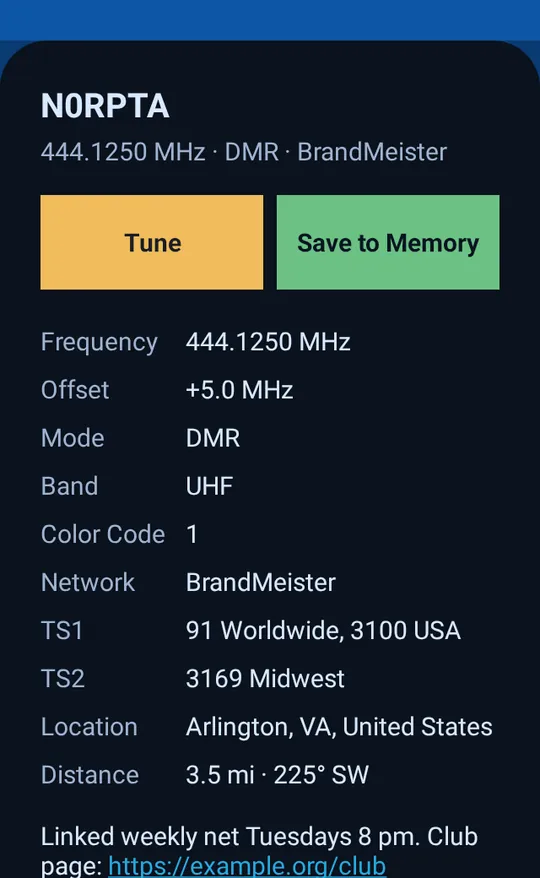
On a supported radio, your memories or the repeater directory set the frequency, color code, timeslot and talkgroup. No codeplug and no programming cable.
Free, and what a subscription adds
Free: network voice and lists on every DMR network, DMR over the air (with a verified callsign), the repeater directory and caller names.
Subscription: memories with FM, DMR and network channels in one zone, synced with the User Portal both ways, the live call log, Community, repeater edits and QRZ Logbook uploads. Every new account can try these free for 14 days. Compare plans.
DMR questions.
Do I need a hotspot for DMR?
The app connects to DMR networks itself, over Wi-Fi or cellular. For DMR over the air, use a supported radio with an RF module.
Which DMR networks can I use?
BrandMeister, TGIF, ADN, AmComm, HamUnited, XLX, DVSPh, DMR+, FreeDMR and HBLink.
Which networks ask for a password?
BrandMeister, TGIF and ADN use a hotspot password or key from your account with that network. Save it once in the User Portal and every device you pair uses it.
Can I listen to more than one talkgroup?
Yes: on most DMR networks, add up to four monitor talkgroups beside the one you talk on. On TGIF, HamUnited and XLX you join one talkgroup and switch with a tap.
Get on DMR in minutes.
Create a free account, pair the app and pick a talkgroup. Network voice is free.